NTFS FOR MAC INTEL BETA
NTFS,
meet Mac.
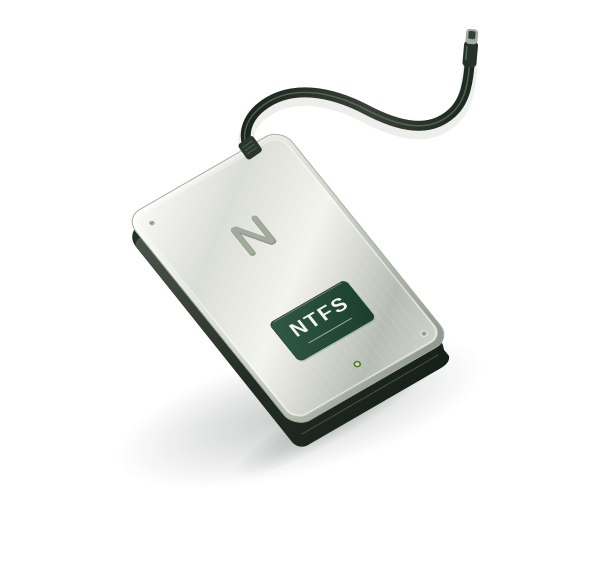
Read and write your NTFS drives in Finder. One setup, then Nativol handles eligible mounts from your menu bar.
Free & open source0.5.0-beta.1 · 3.9 MB
For Intel macOS 15.7.9 with macFUSE 5.4.0.
 Nativol
A SMALL PART OF YOUR DAY
Familiar from the first file.
After the one-time setup, your files are right where you expect them. Nativol stays close by in the menu bar.
INTEL TESTING BETA
A good fit
starts here.
This release supports a specific Intel configuration. Check yours before downloading.
Check the full requirementsRELEASE SPECIFICATION / 0.5.0-BETA.1
- Architecture
- Native Intel
- Operating system
- macOS 15.7.9
- Filesystem
- External, single-partition NTFS
- Connection
- USB or Thunderbolt
- Required dependency
- macFUSE 5.4.0Installed separately
- Apple silicon
- Not supported in this release
Every writable mount starts with eligibility and health checks. Unsupported, dirty or hibernated volumes are refused.
This is a testing beta, ad-hoc signed and not notarized by Apple. Start with backed-up spare media.
- 01
Prepare your Mac.
Install Nativol and macFUSE 5.4.0. Approve background access and the required macOS permissions.
- 02
Enable automatic writing.
Turn it on in Setup. Nativol checks each eligible connected NTFS drive before attempting a writable mount.
- 03
Copy. Finish. Eject.
Work with files in Finder. When you're done, safely eject through Finder or the Nativol menu before unplugging.
INDEPENDENT & OPEN SOURCE
Free to use.
Open to improve.
Nativol is free to use. Help with the next release by testing, contributing code, or supporting development.
Coffee link coming soon.
Donations are optional. All features stay free.
Prefer crypto?Binance Pay & receiving wallets
Receiving details will appear here when added.
On-chain wallets
Send only the asset on the network shown for each address.
BEFORE YOU PLUG IN
The details
worth knowing.
Will it work on my Mac and drive?
This beta enables writing on native Intel macOS 15.7.9 with macFUSE 5.4.0, for eligible external single-partition NTFS drives over USB or Thunderbolt. The helper checks identity, supported geometry and filesystem health. Apple silicon and additional macOS versions are outside this release. See the full requirements.
What happens when I connect a drive?
After background setup, opt in to automatic writing. Nativol checks eligible connected drives and attempts writable mounts. You can keep individual volumes read-only. Unsupported or unhealthy drives are refused; Nativol does not format, repair or force a busy unmount.
Is it really free and open source?
Yes. Nativol's original app code is MIT licensed; the NTFS engine, health checker and patches retain their GPL licenses. macFUSE is installed separately. Donations are optional and do not unlock features. Read the source and licenses on GitHub.
Do my files stay on my Mac?
Yes. Drive operations stay on your Mac. This site has no analytics, external fonts or embedded payment widgets. Donation links and QR codes take you to the relevant payment service; this site does not process payments or receive payment confirmations.
0.5.0-BETA.1 / INTEL / 3.9 MB